Share one service — not your network. With your staff, your partners and your vendors.
Give each person or machine access to exactly the internal services they need, and nothing else on your network — without a VPN, a cloud account or an open port. You run it yourself, on every operating system.
No account to create and no server to rent. Everything runs on machines you already have.
Start SideServices on the machine that will manage everything. A setup page opens in your browser: choose Controller, and pick a relay — ours, a partner’s or your own. No config files.
Create a one-time invitation in the controller and paste it into the new device’s setup page. It joins, and every connection is encrypted — direct when it can be, through the relay when it can’t.
Add them by name and choose the device they use. They pick their own password on that device — you never see it.
Choose a service and who may use it. It appears on their device at a local address — already signed in. Take it back and it is gone.
You manage everything from a web page on your own machine: who can reach what, and what is waiting for your approval. The people you grant see only their own services, and simply open them. Click a screenshot to enlarge.
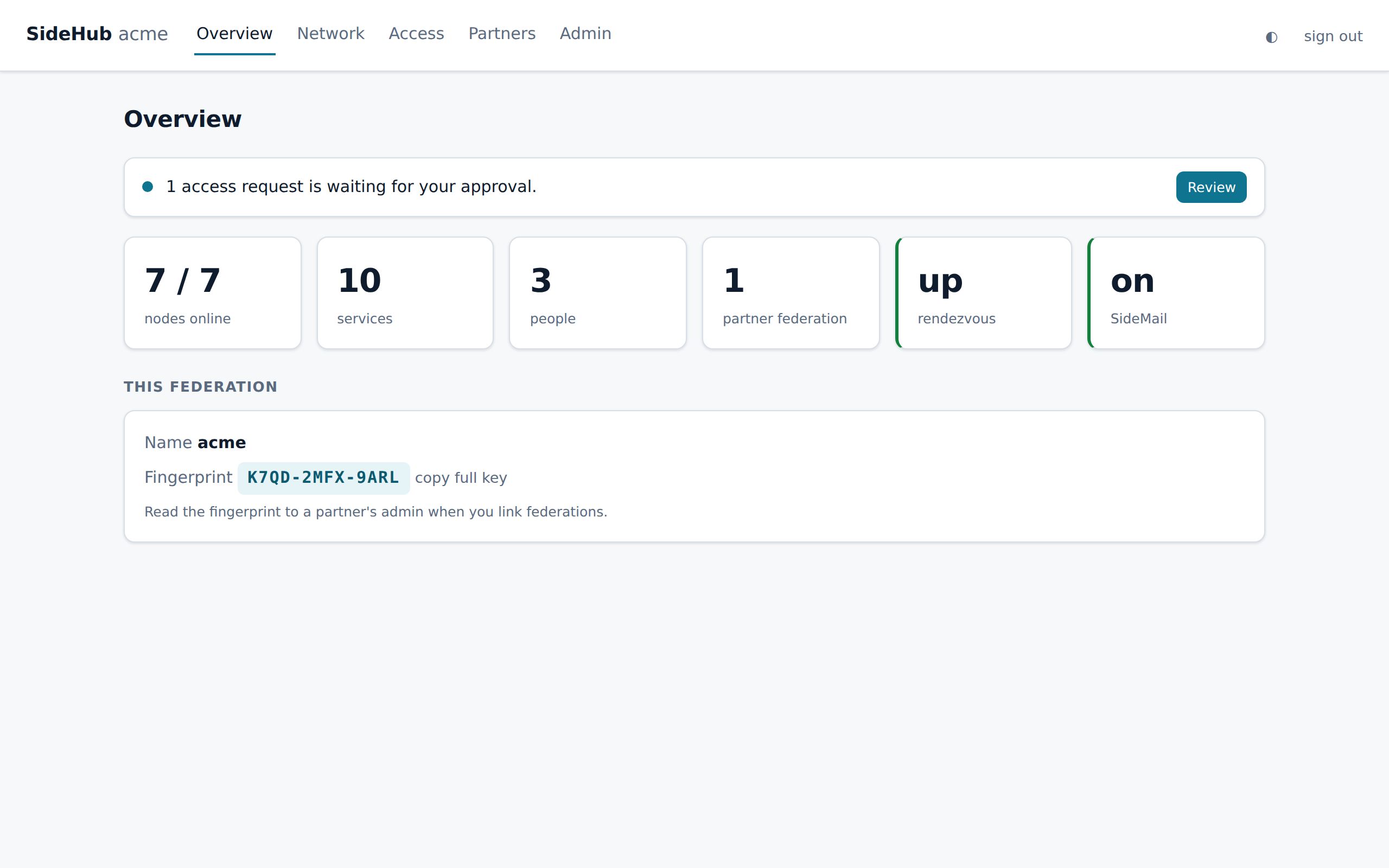
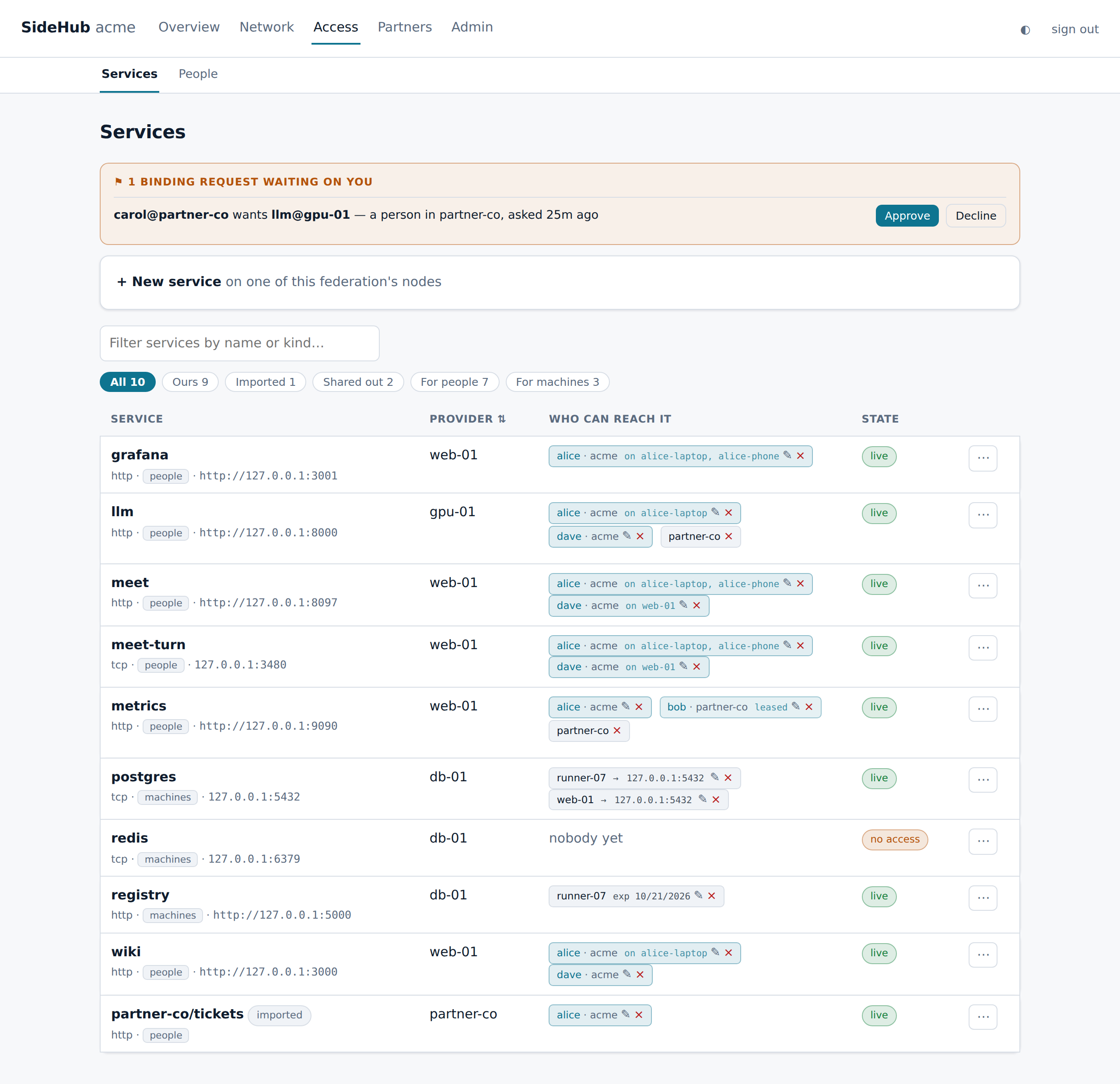
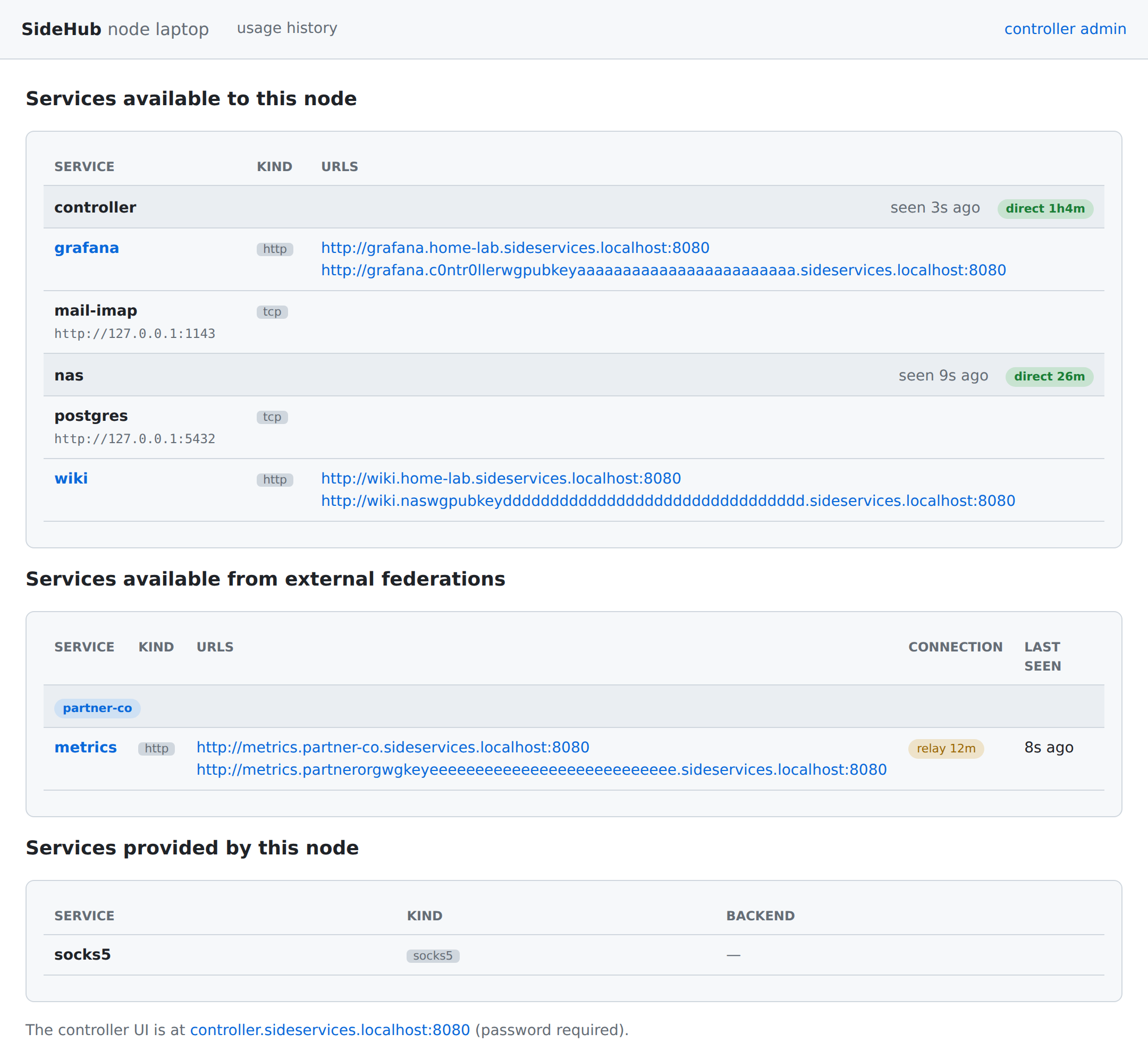
sideservices.localhost — her services, by name, including one from a partner.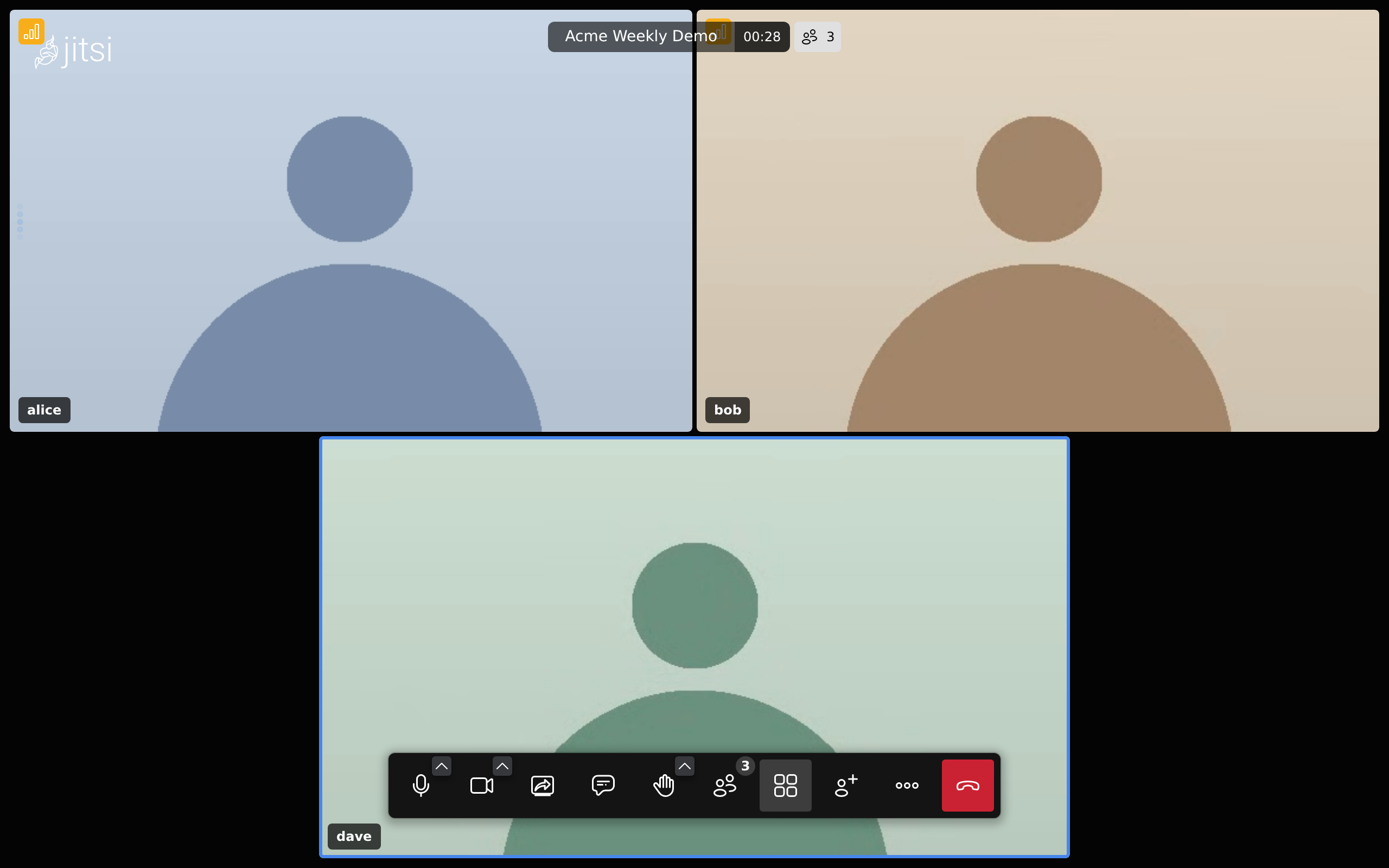
One primitive — grant one service to one machine or person, deny everything else — covers problems that usually take five products. Nothing below opens a port, publishes a DNS name, or joins two networks together.
Two organizations, two controllers, no merged network. Link once, then share a single service — and approve each of their people or machines who asks for it. They see what you share, not your network.
Remote support for an HMI, a PLC or an instrument normally means a jump host, a VPN account and a route into the OT segment. Here the vendor is granted exactly one service on one device, for as long as you say.
A GPU box running an inference server is the most sensitive thing to expose and the easiest to get wrong. Publish it as a service and grant it to people: it follows each of them to whichever device they sign in on, and never touches the internet.
A hosted runner needs your private registry, a package proxy or a seeded database. The usual answers are a public endpoint behind a password, or a VPN credential sitting in CI secrets.
Run a meeting server on your own machine and grant it to your people. They join from a laptop or the phone app, already signed in by name, and the call never touches a public meeting service.
A service is one thing you expose — a database, a web app, an SSH port, a SOCKS exit, even your mailbox. Grant it to a machine or a person and it shows up on a local address on their device. Nothing else on your network is visible: there is no network to wander, only the services you gave.
Databases, SSH, Git, registries — anything on a port.
localhost:5432DNS, syslog, game servers, custom protocols.
localhost:5353Web apps and APIs answer at a name — no IP, no port to remember. Resolved on your own machine, never by public DNS.
wiki.acme.sideservices.localhostBrowse from another location — through a proxy on one of your machines.
localhost:1080Private IMAP + SMTP for your federation, on the node you choose, and webmail in the browser — mesh-only, and delivered to partner organizations over the mesh, never the public internet.
localhost:1143 · 1587Access you control, for people as well as machines, across organizations — on infrastructure you own.
Each service stays invisible until you grant it — to one machine or one person. A grant can end on a date, after a period of inactivity, or a set time after first use, and taking it back cuts the connection on the spot.
Grant a service to a person and it follows them to whichever device they sign in on. SideServices signs them in to the app as well — Grafana, Gitea, Open WebUI, any app that trusts a who-is-calling header, or one that takes a stored password — so there is no second login. One password per person: single sign-on, with no identity server to run.
Link with another organization once, then share single services. You approve each of their people or machines, and take access back in seconds. Your networks never merge, and mail flows between you over the same link.
See who used each service, how much and for how long — down to each web request and each connection. Admin changes, sign-ins and partner decisions go into an audit log you can export.
No sign-up, no vendor cloud, no telemetry: you run it, and you trust only your own controller. Every connection is encrypted end to end, with post-quantum protection. Each device learns only what it was granted, so a lost laptop reveals nothing about the rest of your network, and the whole setup backs up into one encrypted file.
The same program manages, relays and connects, on Linux, macOS, Windows, FreeBSD and OpenBSD, with apps for Android and iOS. There is nothing else to install or operate.
SideServices also ships as ready-to-flash appliances — the whole mesh baked into a small, self-updating image. No server to run, no operating system to install or patch.
The easiest way to self-host an entire SideServices federation. Flash a Raspberry Pi, plug it in, and the controller, relay and your services come up as a single tiny image.
Built on the gokrazy appliance framework.
Put a SideServices appliance in front of an industrial machine or IoT device and expose only the specific services you choose — with no web traffic reaching the device by default.
The same kind of encryption as a VPN. A different idea of who's in charge — and of what is reachable.
A vendor runs the service you have to trust. You sign up, and your setup lives in their cloud.
Your own controller is the only thing you trust — no account, no vendor in the loop. The relay can't read anything, so it can be ours, a partner's or yours.
Every device joins one network, and you write firewall rules to keep each one from reaching too much — plus a server to operate.
Each person or machine gets exactly the services you grant, nothing else. One program does every job, so there is nothing extra to run.
Your partner becomes a guest in your system — a guest account, an identity in your directory.
Two organizations, each with its own people and controller, link once and share single services. Neither becomes the other's tenant.
And across all of them: post-quantum encryption end to end, and services that never appear on the public internet.
Short version: you decide exactly who can reach each service, and everything stays on machines you own.
Request access →Your devices and the people who use them, managed together. One machine is the controller: it admits new devices and decides who can reach what. Devices connect to each other directly when they can, and through a relay when they can’t.
Yes. A person signs in on any of their devices with one password, and the services granted to them appear there — and go when they sign out. SideServices can also sign them in to the app itself, so a granted wiki opens already logged in as them.
No. Tick Stay signed in and your browser keeps you signed in on that computer. On a phone, your fingerprint or PIN signs you back in.
Yes. Link with the other organization once — both admins confirm each other’s short fingerprint — then share single services. You approve each of their people or machines, and can take access back at any time. Your networks never merge.
No. When two devices can’t reach each other directly — behind a home router, a firewall, a mobile network — a relay passes their traffic along, still encrypted. It can’t read it, so it doesn’t have to be yours: use our relay (free, on request), a partner’s, or run your own.
Yes. Every identity and every connection combines today’s proven encryption with the new post-quantum standards, so traffic recorded today stays unreadable to a future quantum computer.
Yes. The Android and iOS apps open your services inside the app, signed in as you. Attachments download as they would in a browser, and a video call can use the camera and microphone once you allow it for that service. On Android it can also keep running in the background, for a phone that hosts a service.
Take a backup from the controller: one file, encrypted with a passphrase you choose. Restore it on a new machine and everything carries on — nobody has to join again.
Yes. Set it up without a relay and it only uses what others share with it, exposing nothing. Add a relay later if it should offer services too.
No. No sign-up, no vendor cloud, no telemetry. The controller is a machine you own, and invitations travel between devices however you choose.
SideServices is in private beta. Email info@sidephone.io with a bit about what you’d like to connect, and we’ll help you set it up.
We are in private beta. Tell us what you would like to connect — the services, the people, the partners — and we'll help you set it up on your own machines.
